Summary
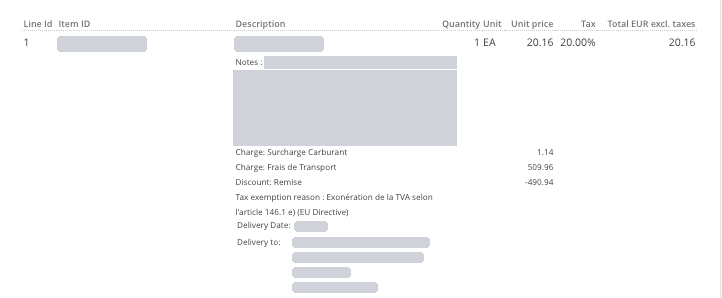
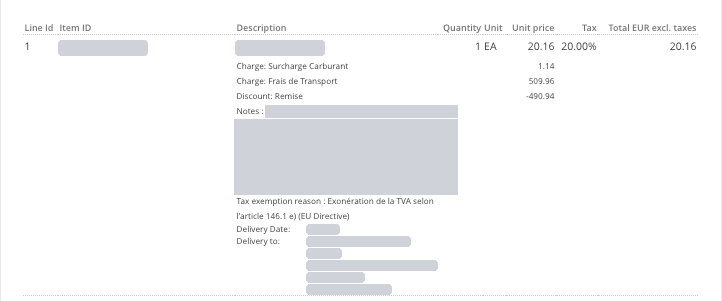
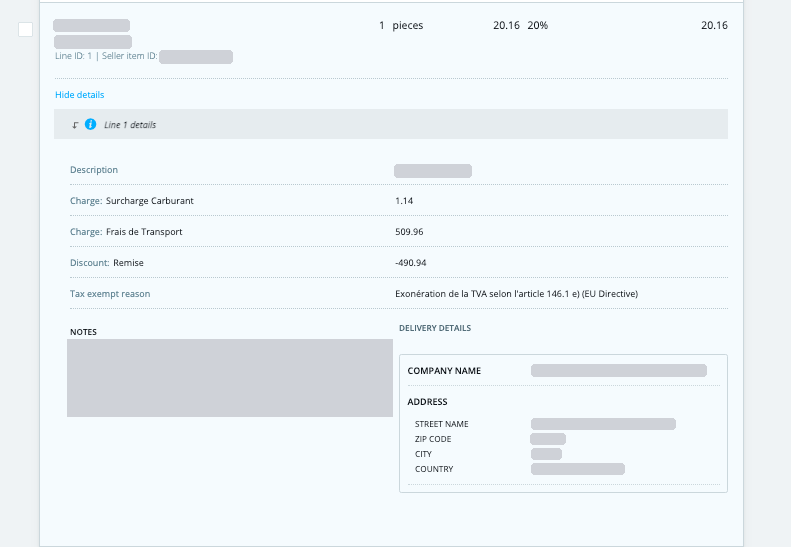
On 24 November 2026, we are releasing an improvement that makes invoice PDFs generate faster, especially for large invoices. As part of this change, the line-item layout changes slightly in the Legacy view and in PDF rendering. The New viewer does not change. The content of your invoices stays exactly the same; only the order in which some line details are displayed changes. Invoices with hundreds or thousands of lines could take several minutes to render as a PDF. In some cases this caused timeouts, and documents could not be processed. With this improvement, PDFs for large invoices are generated up to around 40% faster. This reduces the risk of timeouts and delays when large documents are processed. Only the Legacy view and PDF rendering change. The New viewer stays as it is. The line details are reordered; nothing is added or removed. Charges, discounts and price adjustments now appear directly under each line, right after the line amount. Other line details (notes, PO reference, cost center, tax exemption reason, delivery information, item IDs) follow below them, grouped together. As a result, the line note now appears below the charges and discounts instead of above them. Styling: spacing and alignment of line details may look slightly different. If you use custom styling or a branded template for your invoices, please check how line details display after the release. The examples below show the same invoice line. The note appears first, followed by the charges and discount. The charges and discount appear first, directly under the line, followed by the note and other details. The New viewer shows the same layout before and after the release. In most cases, no action is needed. If you have automated processes that read invoice PDFs, such as OCR or archiving rules that rely on the position of line details, please check them against the new layout. If you have any questions, contact your Tradeshift representative or the Tradeshift Support team.Why we are making this change
Which views are affected
What changes in the Legacy view and PDF
Before and after
Legacy view and PDF: before
Legacy view and PDF: after
New viewer: no change
Do you need to do anything?